| Restocking Fee | No |
|---|---|
| Return shipping will be paid by | Seller |
| All returns accepted | Returns Accepted |
| Item must be returned within | 30 Days |
| Refund will be given as | Money Back |
| Brand | Unbranded |
| Type | Controller |
| Platform | PC |
| Wireless Range | 5-10 m |
| Number of Fans | 1 |
| Model | Nintendo 64 |
| Connectivity | Wireless |
| Compatible Model | For Nintendo Switch |
| Maximum Number of Players | 4 |
| Material | Plastic |
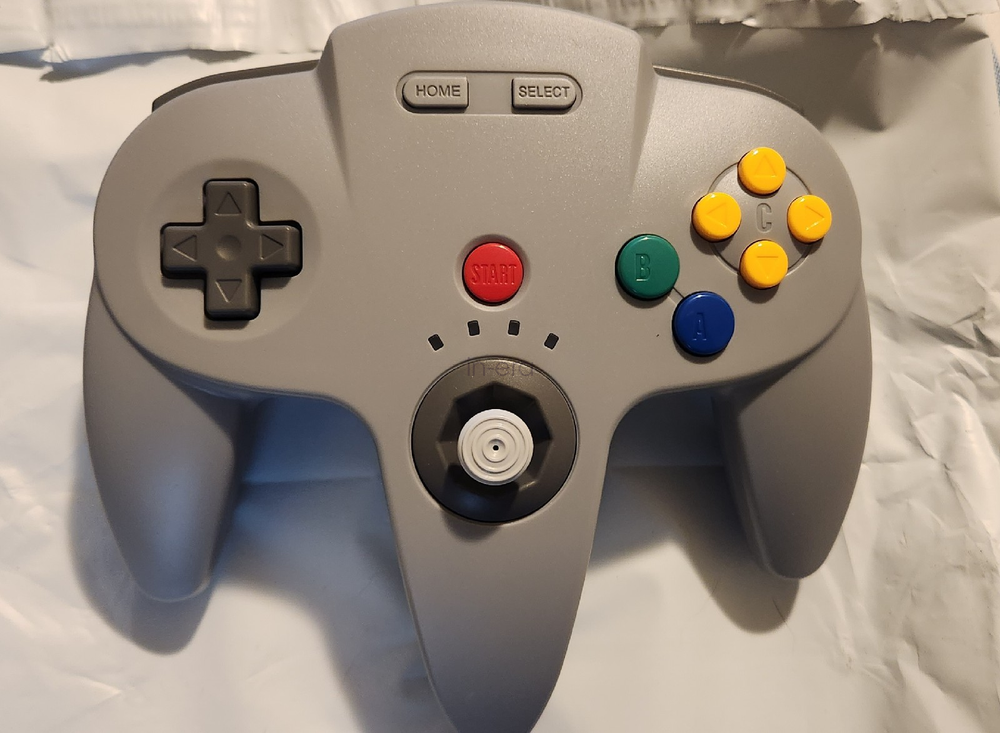
Check the listing for details. 2.4G Switch N64 Controller for Nintendo Switch Online Mac Raspberry Pi Retropie. Condition: New. Listed at 28.99 USD. Feature: Designed for use on USB enabled devices, it features ultimate versatility for any gaming genre. Built-in rumble and a memory card port will make you experience immersive wireless gaming right at your fingertips! Compatible with Nintendo Switch, and USB-enabled devices including USB receivers Sensitive, accurate, and high-quality analog stick Built-in 500mAh lithium-ion battery and recharges with the included micro cable third party controller,customed Usb receiver for Nintendo Switch Online and other usb device Note: if you have USB C Hub ,it can support up to 4 controller simultaneously!! Support Operating system Windows 98, ME, Vista, 2000, 2003, XP, 7, 8, 8.1, 10; Linux UBUNTU, Linux Mint, Android Linux (via an USB OTG cable); Mac OS X and beyond; Retrogaming operating systems: RetroPie, Recalbox, Happi Game Center, Lakka, ChameleonPi, Piplay For Switch, "Pro Controller Wired Communication" must be enabled before pairing Support Device (With USB storage device)- MAC OpenEmu for Mac/ Raspberry Pi 3 RetroPie/Project64 on Windows switch PC, Notebook Computer, Laptop Computer; MacBook; Android Smartphone: connect via an USB OTG cable; Raspberry Pi (RPI, Raspberry pie): Raspberry Pi 1 Model B, Model A, Raspberry Pi 1 Model B+, Raspberry Pi Zero, Raspberry Pi 2, Raspberry Pi 3 Model B, Raspberry Pi 3, Retro Pie. How to Pair: 1,Plug the receiver into your device and the LED start flashing,Press and hold the "SYNC" button on the receiver until if fast blinking. 2,Press the "Reset" button on the top of controller,the LED on the controller starts flashing. 3,Press the "start" button,the led stays lits and controller is connected. Do note before pairing: Make sure the controller is fully charged, Using on the Nintendo Switch,please go to the System settings-Controllers and Sensors -pro controller wired communication - on,the option should select"ON"- Press and hold start + A button for 5 second to enter all star mode to play n64 games on Switch. Package: 1 x controller 1 x usb receiver 1 x charging cable
You may also like