| Return shipping will be paid by | Buyer |
|---|---|
| All returns accepted | Returns Accepted |
| Item must be returned within | 30 Days |
| Refund will be given as | Money back or replacement (buyer's choice) |
| Manufacturer Part Number | Does not apply |
| Material | plastic |
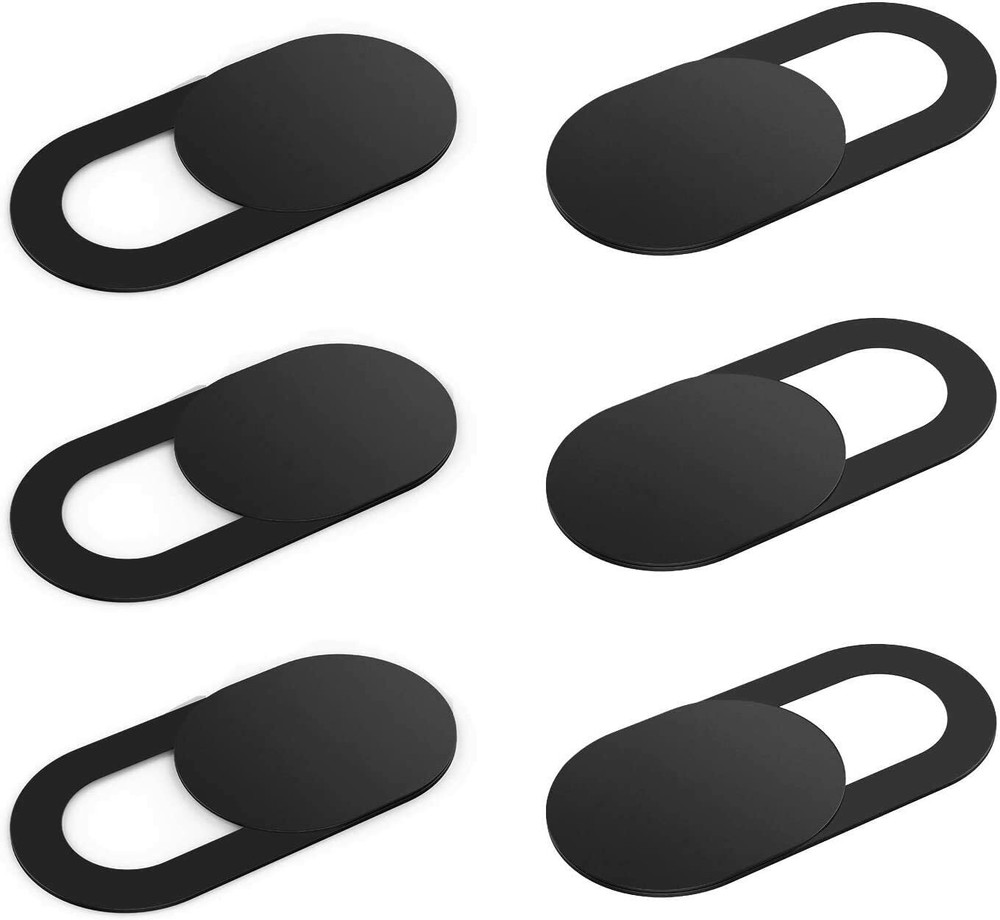
| Size | 18.5*9*0.7mm(0.73*0.35*0.03in) |
| MPN | Does Not Apply |
| Type | Sliding Webcam Cover |
| Unit Weight | 1g(0.035oz) |
| Warranty | One Year Warranty |
| Brand | LogiPRO |
Check the listing for details. 6 Pack Webcam Cover Web Camera Privacy Blocker Computer 0.03in Ultra-Thin Black. Condition: New. Listed at 7.92 USD. Why is everyone covering up their laptop cameras? Hackers can access these cameras through malwareWere you aware that hackers could gain access to cameras there are 100s of millions of web cameras, which can potentially put your privacy and security at risk.People use simple sticker and plastic clip to cover their camera to protect themselves from hackers.A glut of cheap stickers and branded plastic slides designed to cover up the front-facing cameras on phones, laptops and even televisions. - 0.03inch Thin Webcam Cover- New Strong Adhesive- Made from Durable ABS plastic- Installed in 4 Steps- Clean Minimalist Design- Cover your Webcam at your Convenience- No Affect on the Performance of your Webcam- Works with Laptops, Desktops, SmartphonesPlease Note:1. Be careful not to cover the signal light and sensor when you install the webcam cover.2.This webcam cover is used for in-built webcam(front camera) on most laptops,phones and tablets, BUT NOT for external webcam.Super Sturdy AdhesiveOur design webcam cover use strong adhesive which can be easily applied and removed from your device without leaving any traces behind.Effectively Privacy ProtectionClose the webcam cover when you don't need a camera to stop potential hackers. Unique design makes it easy to enjoy a safe digital life.Ultra-thin DesignThe webcam cover slide is surprisingly thin, only 0.03 inch, it is quite stylish, does not feel its existence when the laptop lid is closed and perfectly fitting on your device webcam.Easy to Use:1.Clean the surface of your device's webcam with the included cleaning cloth;2.Tear off the back sticker, then align the lens and attach the protective cover to the lens;3.Press it firmly in place and hold for about 10 seconds, which helps the adhesive be more durable;4.Simply place your finger on the slider and slide to cover or uncover your webcam.
You may also like