| Return shipping will be paid by | Seller |
|---|---|
| All returns accepted | Returns Accepted |
| Item must be returned within | 30 Days |
| Refund will be given as | Money back or replacement (buyer's choice) |
| Brand | Genesis |
| MPN | Does Not Apply |
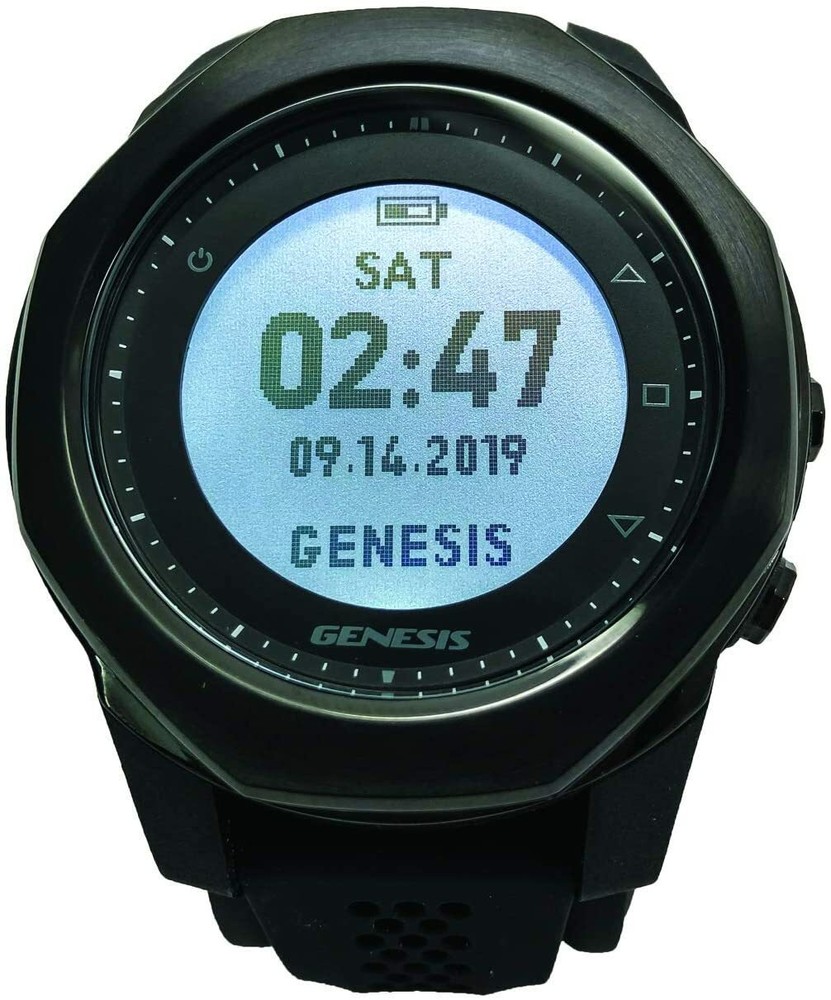
Check the listing for details. Genesis Graviton Wrist Dive Computer/Watch. Condition: New. Listed at 599.95 USD. The Genesis Graviton takes all the best features of the Centauri and adds a beautiful color screen. This new Genesis daily watch & diving computer provides a high-resolution color display using a MIP (Memory In Pixel) LCD screen for clarity and brightness. This full featured dive watch computer features Scuba, Free Dive, and Nitrox modes. With five buttons, navigation is intuitive and simple, making the Graviton one of the easiest computers to use. The MIP (Memory In Pixel) color screen provides contrast, allowing you to find the information you need immediately. Every setting is adjustable to optimize your diving experience. All in an easy to view and navigate system. Like the Centauri the Graviton utilizes the Buhlmann ZHL-16C algorithm.There are also thousands of Dive Sites around the world programed into the computer. When arriving at the Dive Site and the Scuba and Free Dive Modes are turned on the GPS starts searching for the location coordinates. The searching is show with a flashing target symbol. If the Dive Site is recognized the Dive Site Name will show at the top of the screen. If it is not recognized than the GPS coordinates are shown. DETAILSScuba, Free Dive, and Watch ModeNitrox support up to 99%Maximum operating depth: 100m/328ftBacklight screenRechargeable batteryResettable settingsFEATURESTwist To Next (Compass & Nitrogen Loading)Buhlmann ZHL-16C AlgorithmDiver LogDive Story AppSmart Phone Wireless SyncLong Battery LifeAudible AlarmVibration AlarmUser Log ClearDIVE STORY APP NOW AVAILABLE FOR ANDROID & iOS The long awaited Dive Story App is now available for both iOS and Android mobile devices to download, record and manage all your Graviton Wrist Dive Computer diving adventures.Dive Story App functionsDownload and record your dive logs on iOS and Android mobile devices. Dive Story is not available for laptop or desktop computers.Change Graviton dive computer settings.Upgrade Graviton dive computer firmwareG-SENSOR When in Scuba Mode or Free Dive Mode you can Twist (Flick) your wrist to activate the G-Sensor to change the lower part of the screen to view additional information. In Scuba Mode Standard Screen shows SI and MOD With 1st Twist SI and MOD change to Compass Heading With 2nd Twist Compass Heading changes to Tissue % Loading With 3rd Twist Tissue % Loading goes back to Si and MOD In Free Dive Mode With 1st Twist Last Depth and Last Time change to Time of Day and Temp With 2nd Twist Time of Day and Temp changes back to Last Depth and Last TimeFirmware updates are also applied to your Graviton with the New App.Download for iOSDownload for AndroidUser Manual go to Support > Downloads
You may also like