| Restocking fee | No |
|---|---|
| Return shipping will be paid by | Buyer |
| Returns Accepted | Returns Accepted |
| Item must be returned within | 7 Days |
| Brand | Icom |
| Model | N/A |
| Type | N/A |
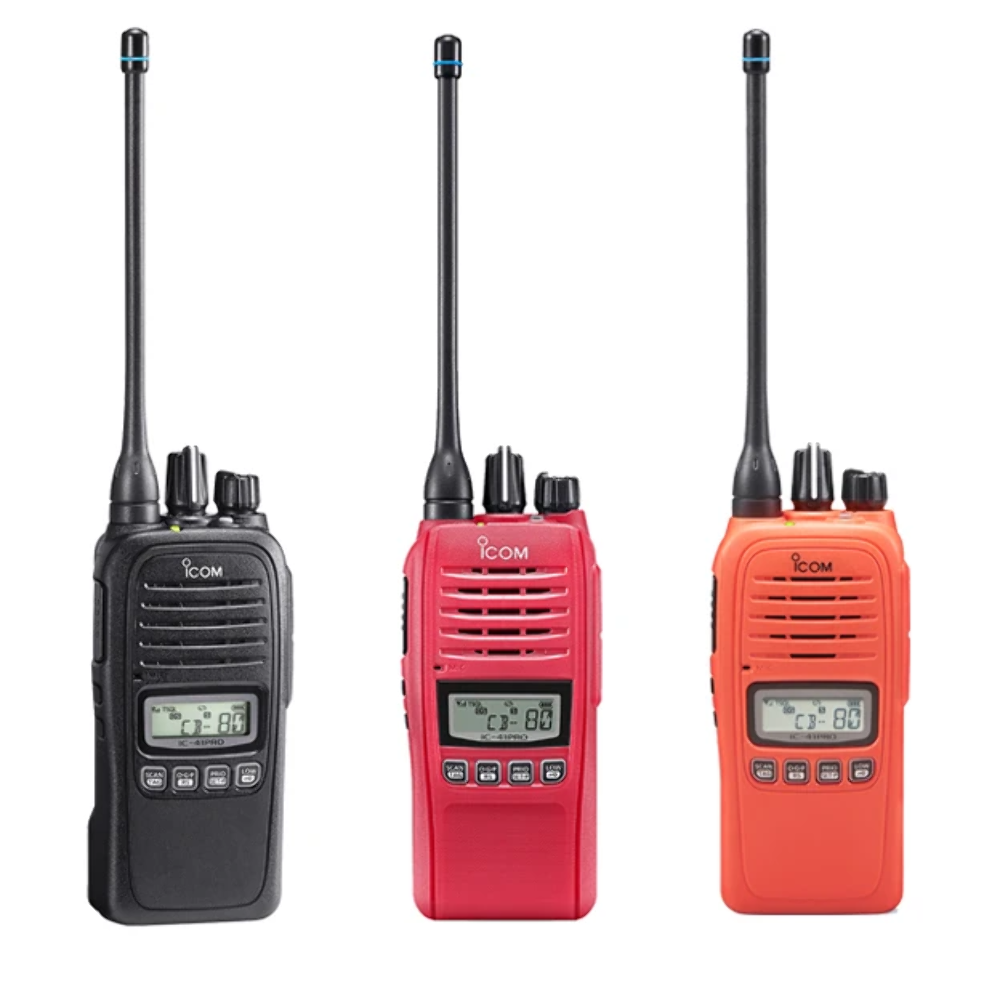
Check the listing for details. Icom IC-41PRO. Condition: Brand New. Listed at 202.52 USD. Icom IC-41PRO All our IC-41PRO radios are programmed with Private SAFA's private UHF frequencies. All our radios come with default ICOM IC-41PRO factory programming so you can always ask others with the same radio for help. We have added some smarts to it to make your life and the lives of your fellow pilots easier. No annoying beeping and no locked-in channels All radios are programmed with our Paragliding Friendly Custom Programming on top of ICOM's default settings. You can activate preprogrammed SAFA private UHF channels on all Fly2Base ICOM radios. The radio will return to the channel selected prior to turning the radio off, the same as the older models. The default setting on new radios always starts on channel 1. So you don't have to change back to your local channel every time you turn the radio on and off TOT (Time-Out Timer) is set to 30sec ATS/Smart Ring is set to Off (ATS Automatic Transporter System) TOT Beep is set to Off (Turning off the annoying pocket beep) Pocket Beep is set to Off If you are after clear communication when flying, we have you covered. Supplied Accessories Antenna FA-SC72U Belt clip MB-133 Battery charger BC-213 AC adaptor BC-123SV Battery pack BP-280 Links Link to Icom IC-41PRO Advance Manual Link to Icom IC-41PRO Basic Manual Optional Accessories Icom Speaker Microphone The Waterproof Handheld UHF CB 80 Channel UHF CB (*) Waterproof and dustproof (IP67) 5-year warranty on the radio 18hr typ. operating time with BP280 Simple operation New rotary Channel Selector/Squelch control Voice announcement of channel number VOX capability with optional headset options Scrambler capability built-in (**) Receive only Channels (**) – up to 35 Unique repeater scan plus open, group and priority scan In-range indicator (ATS) Output power 5 Watts (low power 1 Watt) Built-in CTCSS/DCS (providing silent stand-by) Selective Calling (SELCALL) The duplex operation provides repeater access Compact and rugged construction (based on a commercial product) Private Channels from 450-520 MHz available for commercial users (dealer programmable), requires FASC72U antenna (frequency between 490-520MHz) CS-41PRO User software available for customisation of operation (requires OPC-478UC cable) To switch between the standard UHF frequencies and the SAFA (HGFA) frequencies follow these steps. Turn on your radio. Short press the top grey button > FUNC ON will appear > F symbol will indicate that the Function is on in the left-hand side of the LCD screen. Press and hold the LOW button with the key symbol > CB or HGFA group will appear on the screen. Use the rotary selector button to change between HGFA and CB channel groups. Press PTT (Press To Talk) button to confirm your selection. How to turn on and off the radio tone squelch Make sure that the screen lock has been deactivated Hold the top side selector button for 2 seconds Circle through the options to turn the tone squelch on or off How to change CTCSS tone frequency? SAFA CTCSS frequencies SAFA 1 192.8 Hz SAFA 2 82.5 Hz SAFA 3 110.9 Hz SAFA 4 151.4 Hz SAFA 5 OPEN *80 Channel UHF CB, 61-63 not present, reserved for future use** Must be enabled by the dealer or via CS-41PRO software Additional Resources Explanation of SAFA/HGFA Channels from ACT Hang Gliding and Paragliding Association (ACTHPA) Blog Video Icom IC 41PRO Setting tone squelch and scan two channels Manufacturer's website Others Also Bought Icom UHF Stubby Antenna for IC-41 Radio Icom Speaker Microphone HM158LA for IC-41 Radio Icom Speaker Microphone HM240 for AC-A16E Radio (waterproof) Icom Li-Ion Battery Pack Icom IC-41PRO All our IC-41PRO radios are programmed with Private SAFA's private UHF frequencies. All our radios come with default ICOM IC-41PRO factory programming so you can always ask others with the same radio for help. We have added some smarts to it to make your life and the lives of your fellow pilots easier. No annoying beeping and no locked-in channels All radios are programmed with our Paragliding Friendly Custom Programming on top of ICOM's default settings. You can activate preprogrammed SAFA private UHF channels on all Fly2Base ICOM radios. The radio will return to the channel selected prior to turning the radio off, the same as the older models. The default setting on new radios always starts on channel 1. So you don't have to change back to your local channel every time you turn the radio on and off TOT (Time-Out Timer) is set to 30sec ATS/Smart Ring is set to Off (ATS Automatic Transporter System) TOT Beep is set to Off (Turning off the annoying pocket beep) Pocket Beep is set to Off If you are after clear communication when flying, we have you covered. Supplied Accessories Antenna FA-SC72U Belt clip MB-133 Battery charger BC-213 AC adaptor BC-123SV Battery pack BP-280 Links Link to Icom IC-41PRO Advance Manual Link to Icom IC-41PRO Basic Manual Optional Accessories Icom Speaker Microphone The Waterproof Handheld UHF CB 80 Channel UHF CB (*) Waterproof and dustproof (IP67) 5-year warranty on the radio 18hr typ. operating time with BP280 Simple operation New rotary Channel Selector/Squelch control Voice announcement of channel number VOX capability with optional headset options Scrambler capability built-in (**) Receive only Channels (**) – up to 35 Unique repeater scan plus open, group and priority scan In-range indicator (ATS) Output power 5 Watts (low power 1 Watt) Built-in CTCSS/DCS (providing silent stand-by) Selective Calling (SELCALL) The duplex operation provides repeater access Compact and rugged construction (based on a commercial product) Private Channels from 450-520 MHz available for commercial users (dealer programmable), requires FASC72U antenna (frequency between 490-520MHz) CS-41PRO User software available for customisation of operation (requires OPC-478UC cable) To switch between the standard UHF frequencies and the SAFA (HGFA) frequencies follow these steps. Turn on your radio. Short press the top grey button > FUNC ON will appear > F symbol will indicate that the Function is on in the left-hand side of the LCD screen. Press and hold the LOW button with the key symbol > CB or HGFA group will appear on the screen. Use the rotary selector button to change between HGFA and CB channel groups. Press PTT (Press To Talk) button to confirm your selection. How to turn on and off the radio tone squelch Make sure that the screen lock has been deactivated Hold the top side selector button for 2 seconds Circle through the options to turn the tone squelch on or off How to change CTCSS tone frequency? SAFA CTCSS frequencies SAFA 1 192.8 Hz SAFA 2 82.5 Hz SAFA 3 110.9 Hz SAFA 4 151.4 Hz SAFA 5 OPEN *80 Channel UHF CB, 61-63 not present, reserved for future use ** Must be enabled by the dealer or via CS-41PRO software Additional Resources Explanation of SAFA/HGFA Channels from ACT Hang Gliding and Paragliding Association (ACTHPA) Blog Video Icom IC 41PRO Setting tone squelch and scan two channels Manufacturer's website Others Also Bought Icom UHF Stubby Antenna for IC-41 Radio Icom Speaker Microphone HM158LA for IC-41 Radio Icom Speaker Microphone HM240 for AC-A16E Radio (waterproof) Icom Li-Ion Battery Pack × Shipping info Click the Shipping & Payments tab above the listing description for more info Click the Shipping & Payments tab above the listing description for more info! Additional delivery notes PICK UP OPTION Sorry, our items are NOT available for pick-up. PAYMENT Immediate payment is required upon selecting "Buy It Now" or upon checking out through the cart. We accept payment via All Major Credit Cards (Visa, Mastercard, AMEX, Discover), Google Pay, PayPal, & Apple Pay (on mobile & eBay App). Thank you for shopping with us on eBay! Additional Information No additional information at this time Ask seller a question You might also like SkyBean 2 Mini Vario SkyBean Strato (NEW) Finsterwalder ParaLock Separating Quick-Out Carabiner SkyDrop GPS Vario Contact To contact our Customer Service Team, simply click the button here and our Customer Service team will be happy to assist. Ask seller a question © Fly2Base Shipping & Payments Click the Shipping & Payments tab above the listing description for more info Payment Accepted Payment Methods Immediate payment is required upon selecting "Buy It Now" or upon checking out through the cart. We accept payment via All Major Credit Cards (Visa, Mastercard, AMEX, Discover), Google Pay, PayPal, & Apple Pay (on mobile & eBay App). Thank you for shopping with us on eBay! Returns Returns are accepted Items must be returned within 7 days of the auction ending Buyer will pay for return shipping. eBay integration by
You may also like


![Uniden UM725 Fixed Mount Marine VHF Radio - Black [UM725BK]](/image/F0QAAeSw6YFp1U1e/uniden-um725-fixed-mount-marine-vhf-radio-black-um725bk.jpg)


