| Restocking Fee | No |
|---|---|
| Return shipping will be paid by | Buyer |
| All returns accepted | Returns Accepted |
| Item must be returned within | 30 Days |
| Refund will be given as | Money Back |
| Platform | Linux |
| License Category | open source |
| Bundle Description | No |
| Minimum RAM | 2 GB |
| Custom Bundle | No |
| MPN | 002 |
| For Operating Systems | Linux |
| California Prop 65 Warning | No California Problems |
| Operating Systems | MX Linux |
| Brand | MX Linux |
| Type | USB |
| Format | USB |
| Unit Type | Unit |
| Minimum Hard Drive Space | Live USB |
| Language | English |
| Manufacturer Warranty | Other: See Item Description |
| Model | MX Linux |
| Minimum Processor Speed | 2 GHz |
| Country/Region of Manufacture | United States |
| Unit Quantity | 1 PER ORDER |
| Number of Devices | Unlimited |
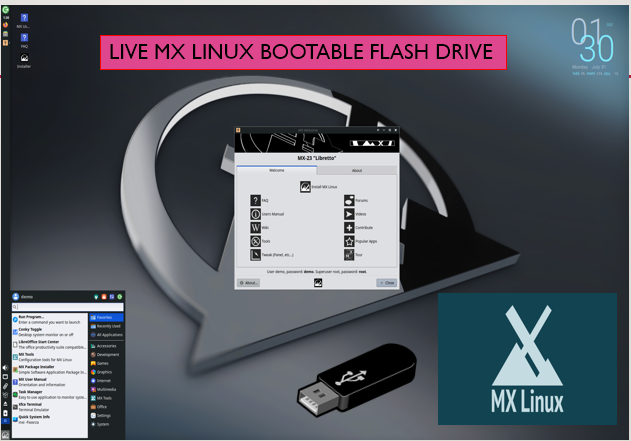
Check the listing for details. MX Linux 23.4 XFCE 64 BIT AND 32 BIT LIVE INSTALL BOOTABLE USB 64GB. Condition: Brand New. Listed at 7.99 USD. MX Linux 23.4 USB Drive (64-Bit & 32-Bit Xfce Live)Capacity: 64GB USB Drive This 64GB USB drive comes with MX Linux 23.4, offering both the 64-bit and 32-bit versions featuring the Xfce desktop environment. It’s a lightweight, reliable, and high-performance Linux distribution, suitable for a wide range of systems. The 64-bit version works great with modern hardware, while the included 32-bit ISO file ensures compatibility with older PCs. You can use this USB to run MX Linux live, directly from the drive, without affecting your computer’s internal storage. Additionally, it can be installed onto other machines of your choice. Note: This drive does not work on Mac, Apple devices, tablets, or Chromebooks, and it does not offer persistent storage. MX Linux is a collaborative effort between the antiX and former MEPIS communities, combining their expertise to provide a powerful yet user-friendly experience. The OS delivers a clean and efficient desktop environment with easy configuration, excellent stability, and a small system footprint. To use, ensure your PC supports booting from USB (you may need to adjust boot order or use a boot key at startup). Your PC's hard drive remains untouched while running from the USB.
You may also like