| Restocking Fee | No |
|---|---|
| Return shipping will be paid by | Buyer |
| All returns accepted | Returns Accepted |
| Item must be returned within | 30 Days |
| Refund will be given as | Money Back |
| Type | Video Editing |
| Platform | Linux |
| Brand | Provided by Sharper Jacks |
| Country/Region of Manufacture | United States |
| MPN | Does Not Apply |
| Language | English |
| Format | CD |
| License Category | Standard |
| Operating Systems | Linux |
| UPC | Does not apply |
| For Operating Systems | Caldera OpenLinux |
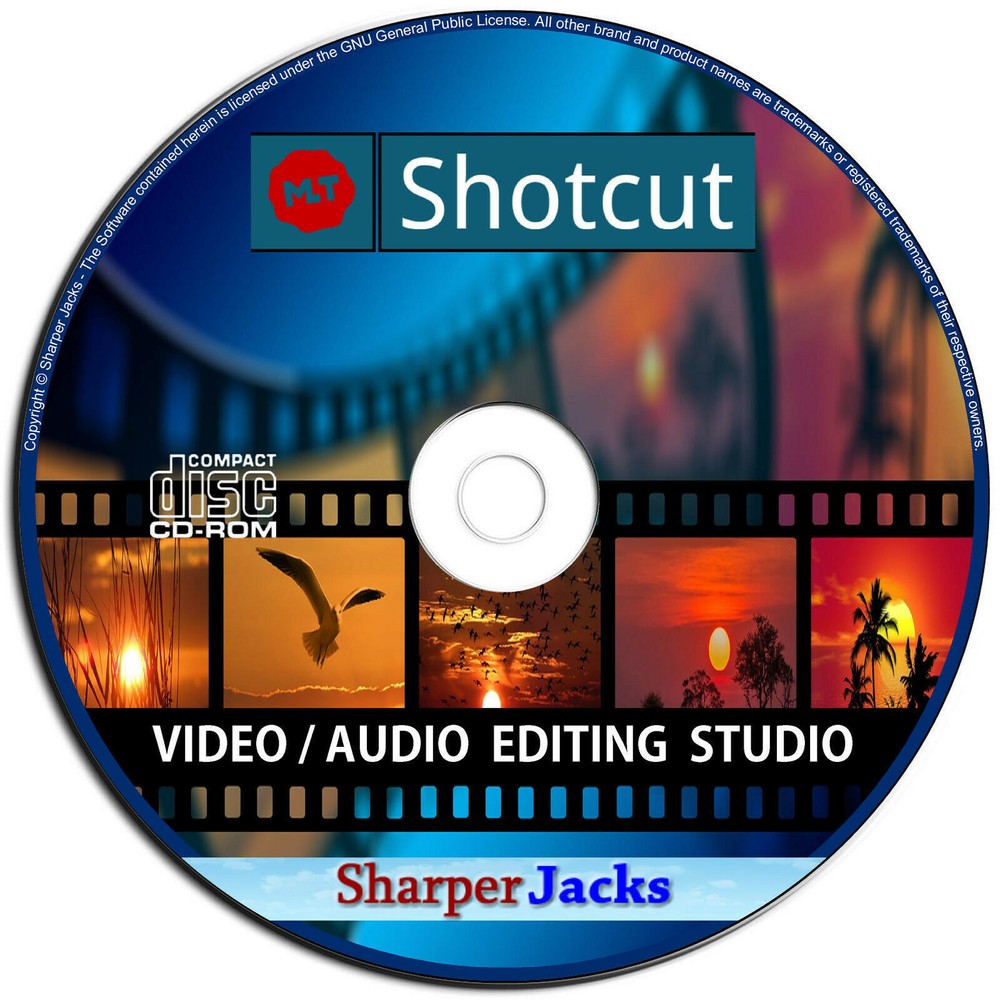
Check the listing for details. NEW & Fast Ship! Shotcut Video / Audio Pro Editor & Publishing Studio Linux CD. Condition: Brand New. Listed at 15.99 USD. NEW & Ready to Ship Fast! + Download Included - Shotcut Video / Audio Professional Editor & Publishing Studio Software on a Professional Disc - Provided by Sharper Jacks Toggle Navigation Toggle Navigation Shotcut Video Editor [SOFT - 60 - L - D1] Shotcut is an open source video editor available for Windows, Mac, or Linux. Based on MLT Multimedia Framework, it features cross-platform capabilities in conjunction with the WebVfx and Movit plugins. It also includes support for a wide range of formats; no import required (meaning native timeline editing); Blackmagic Design support for input and preview monitoring; and resolution support to 4k. Shotcut was originally conceived in November, 2004 by Charlie Yates, an MLT co-founder and the original lead developer. The current version of Shotcut is a complete rewrite by Dan Dennedy, another MLT co-founder and its current lead. Dan wanted to create a new editor based on MLT and he chose to reuse the Shotcut name since he liked it so much. He wanted to make something to exercise the new cross-platform capabilities of MLT especially in conjunction with the WebVfx and Movit plugins. Wide Format Support • Support for the latest audio and video formats thanks to FFmpeg • Supports popular image formats such as BMP, GIF, JPEG, PNG, SVG, TGA, TIFF as well as image sequences • No import required - native timeline editing • Frame-accurate seeking for many formats • Multi-format timeline: mix and match resolutions and frame rates within a project • Webcam capture • Audio capture • Support for 4K resolutions • Network stream playback (HTTP, HLS, RTMP, RTSP, MMS, UDP) • Frei0r video generator plugins (e.g. color bars and plasma) • Color, noise, and counter generators • EDL (CMX3600 Edit Decision List) export • Export single frame as image or video as image sequence Audio Features • Audio scopes: loudness, peak meter, waveform, spectrum analyzer • Volume control • Audio filters: Balance, Bass & Treble, Band Pass, Compressor, Copy Channel, Delay, Downmix, Expander, Gain, High Pass, Limiter, Low Pass, Normlize: One Pass, Normalize: Two Pass, Notch, Pan, Reverb, Swap Channels • Audio mixing across all tracks • Fade in and out audio and fade video from and to black with easy-to-use fader controls on timeline • Cross-fade audio and video dissolve transitions easily by overlapping shots on the same track of the timeline • JACK transport sync • Tone generator Video Effects • Video compositing across video tracks • HTML5 (sans audio and video) as video source and filters • 3-way (shadows, mids, highlights) color wheels for color correction and grading • Eye dropper tool to pick neutral color for white balancing • Deinterlacing • Auto-rotate • Fade in/out audio and fade video from and to black with easy-to-use fader controls on timeline • Video wipe transitions: bar, barn door, box, clock (radial), diagonal, iris, matrix, and custom gradient image • Track compositing/blending modes: Over, Add, Saturate, Multiply, Screen, Overlay, Darken, Dodge, Burn, Hard Light, Soft Light, Difference, Exclusion, HSL Hue, HSL Saturation, HSL Color, HSL Luminosity. • Video Filters: Alpha Channel: Adjust, Alpha Channel: View, Blur, Brightness, Chroma Key: Advanced, Chroma Key: Simple, Contrast, Color Grading, Crop, Diffusion, Glow, Invert Colors, Key Spill: Advanced, Key Spill: Simple, Lens Correction, 3D LUT, Mirror, Old Film: Dust, Old Film: Grain, Old Film: Projector, Old Film: Scratches, Old Film: Technocolor, Opacity, Rotate, Rutt-Etra-Izer, Saturation, Sepia Tone, Sharpen, Size and Position, Stabilize, Text, Vignette, Wave, White Balance • Speed effect for audio/video clips Editing Features • Trimming on source clip player or timeline with ripple option • Easy-to-use cut, copy, and paste operations • Append, insert, overwrite, lift, and ripple delete editing on the timeline • 3-point editing • Hide, mute, and lock track controls • Multitrack timeline with thumbnails and waveforms • Unlimited undo and redo for playlist edits including a history view • Create, play, edit, save, load, encode, and stream MLT XML projects (with auto-save) • Save and load trimmed clip as MLT XML file • Load and play complex MLT XML file as a clip • Drag-n-drop files from file manager • Scrubbing and transport control Cross Platform & Codec Independent • Cross platform support: available on Windows, Linux, and macOS (OS X) • Codec independent so does not rely on system codecs • Can run as a portable app from external drive • UI translations: Catalan, Chinese, Czech, Danish, Dutch, English, French, Gaelic, German, Greek, Italian, Occitan, Polish, Portuguese, Russian, Slovak, Spanish, Ukrainian • Batch encoding with job control • Encode/transcode to a variety of formats and codecs thanks to FFmpeg • Stream (encode to IP) files and any capture source • Video quality measurement (PSNR and SSIM) • Perform integrity check of an audio/video file • View detailed information about an audio/video file Display and Monitoring • External monitoring via Blackmagic Decklink card on NTSC monitor • External monitoring on an extra system display/monitor • UI themes/skins: native-OS look and custom dark and light • Control video zoom in the player: fit viewable area (default), 50%, original (100%), and 200% • Flexible UI through dock-able panels • Detailed media properties panel • Recent files panel with search • Thumbnail and waveform caching between sessions Hardware Support • Blackmagic Design SDI and HDMI for input and preview monitoring • Leap Motion for jog/shuttle control • Webcam capture • Audio capture to system audio card • Capture (record) SDI, HDMI, webcam (V4L2), JACK audio, PulseAudio, IP stream, and Windows DirectShow devices • Multi-core parallel image processing (when not using GPU and frame-dropping is disabled) • DeckLink SDI keyer output • OpenGL GPU-based image processing with 16-bit floating point linear per color component Toggle Navigation Toggle Navigation Toggle Navigation Toggle Navigation Toggle Navigation Toggle Navigation Toggle Navigation
You may also like