| Return shipping will be paid by | Buyer |
|---|---|
| All returns accepted | Returns Accepted |
| Item must be returned within | 30 Days |
| Refund will be given as | Money back or replacement (buyer's choice) |
| Brand | Unbranded/Generic |
| Type | USB Emulator |
| MPN | Does Not Apply |
| UPC | Does not apply |
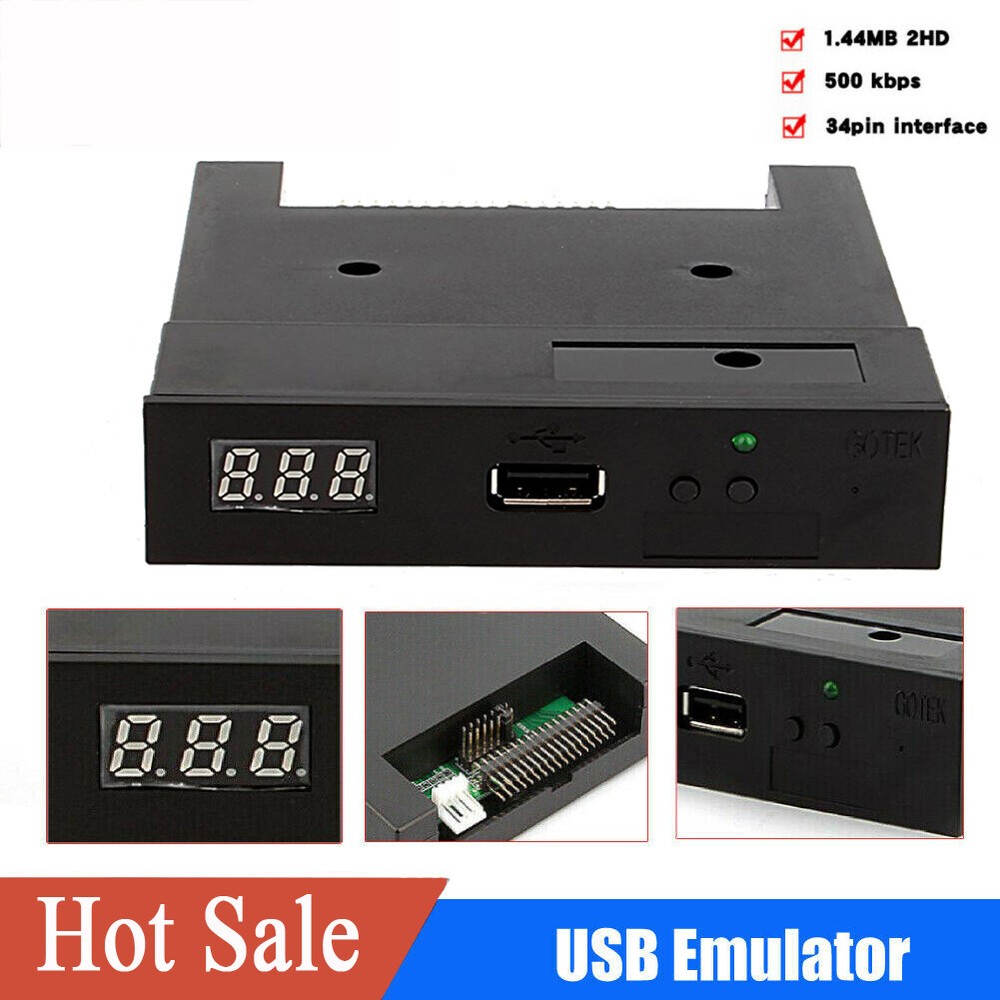
Check the listing for details. SFR1M44-U100 3.5" USB SSD Floppy Drive Emulator Compatible Industrial equ. Condition: New. Listed at 26.64 USD. Feature: Compatible With: Industrial equipment using 1.44M floppy Simple plug and play USB design Keeps your data safe - no moving internal parts means drive failure is extremely rare Housing Material: ABS Color: as picture show Floppy driver with below function needed: Floppy driver with 34pin interface,and 5V DC power plug Use 2HD flpppy disk with 1.44MB capacity Format of disk : Cylinders: 80 Tracks: 160 Sectors/Track: 18 Bytes/Sector: 512 Data Transfer rate: 500 kbps Encoding method: MFM Notes: Use normal usb flash drive as the medium for transfer design. 34pin floppy driver interface, 5V DC power supply, easy to install. Capacity: 1.44MB 2HD Cylinders: 80 Tracks: 160 Sectors/Track: 18 Bytes/Sector: 512 Data Transfer rate: 500 kbps Encoding method: MFM. 1000pcs partitions in usb flasFeature:Compatible With: Industrial equipment using 1.44M floppySimple plug and play USB designKeeps your data safe - no moving internal parts means drive failure is extremely rareHousing Material: ABSColor: as picture showFloppy driver with below function needed: Floppy driver with 34pin interface,and 5V DC power plugUse 2HD flpppy disk with 1.44MB capacityFormat of disk : Cylinders: 80 Tracks: 160 Sectors/Track: 18 Bytes/Sector: 512 Data Transfer rate: 500 kbps Encoding method: MFMNotes:Use normal usb flash drive as the medium for transfer design.34pin floppy driver interface, 5V DC power supply, easy to install.Capacity: 1.44MB 2HD Cylinders: 80 Tracks: 160 Sectors/Track: 18 Bytes/Sector: 512 Data Transfer rate: 500 kbps Encoding method: MFM.1000pcs partitions in usb flash drive can be used.Built-in self-format function. (read relevant documents to use this function)Jumpers with function for different machinesPanel:8segment numbers: represent partitions numberGreen led: status of read and write operationUSB port: connect usb flash driveButton: Left button used to rise ten-digit, right botton used to rise single-digit, press 2 button together to rise hundred-digitOperation :Format usb flash drive.1.use built-in self-format function to format usb flash drive into 1000pcs partitions2.use software in CD format usb flash drive under WINDOWS XP/2000, into 000-099 100pcs partitions.3.install an emulator on computer, and format every partitions by operate driver A:.4.use emulator UFA1M44-100, plug usb flash drive on it,connect to computer, it will recognized as removabe driver A: or B: under WINDOWS XP/2000/7, format every partitions. UFA1M44-100 also built in self-format function.Read and write data.1.install emulator on machine2.install emulator on computer3.connect usb flash drive on computer, read and write data directory by software, under WINDOWS XP/20004.use emulator UFA1M44-100, plug usb flash drive on it, connect to computer, read and write data under WINDOWS XP/2000/7Package Includes:1 x USB Emulator1 x CD3 x Crews
You may also like