| All returns accepted | ReturnsNotAccepted |
|---|---|
| Brand | Lenovo |
| Type | Wireless Receiver |
| Keyboard Language | English |
| Interface | USB |
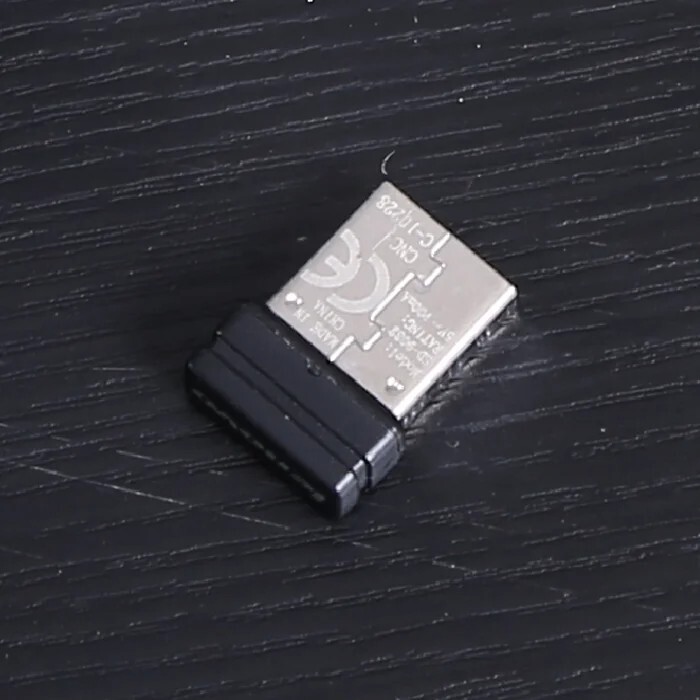
Check the listing for details. The usb receiver Dongle adapter for lenovo keyboard and mouse Thinkpad KBRFBU71. Condition: Open box. Listed at 12.00 USD. If you only purchase a receiver, you must pair it with your keyboard or mouse before you can use it! If you don't know how to pair, please contact me and I will teach you how to operate!Mouse: Turn off the mouse switch and place the mouse within 10 centimeters of the receiver. Press and hold the scroll button and left button for 5 seconds, then turn on the switch. After 5 seconds, release the button and press the scroll button again. The yellow light on the top of the mouse will flash quicklyKeyboard: Insert the receiver into the computer, do not install the keyboard battery. Press and hold the F2 F3 F4 key in the upper right corner of the keyboard, which is within 10cm of the receiver. While holding down the 3 keys, place the keyboard close to the receiver (within 10cm) and install the battery for 5 seconds. Then release F2 F3 F4, and quickly press the number 3 (the number 3 below F2 F3 F4) to complete the pairing. If it still does not work, please check if the battery has advantages or if the installation is reversed and repeat the above steps until successful
You may also like